


IN FINAL TESTING | LAUNCHING SOON
The automation platform that builds itself and knows when to ask
AutomationAI is your automation control plane. Describe the tool, and AI builds the integration. Describe the job, and AI assembles the agent.
You review, approve, and run it on runners inside your own environment.
Share your details to get early access.
No automation engineer required • Runs in your environment • Human-in-the-loop by design
WHY AUTOMATIONAI
Until now, every automation path came with a catch
Staff a specialist just to run the platform
Workflow platforms are powerful if you dedicate a senior tech to learning proprietary templating languages, earning certifications, and maintaining a growing workflow estate. ROI arrives after months of build-out, and only for shops big enough to staff it.
Buy a package and hit the ceiling
Packaged ticket-automation tools zero-touch the common identity requests and stop there. Your automation surface is the vendor's catalog. Anything unusual means custom development inside someone else's runtime, locked to their platform.
Go DIY and own all the risk
Open-source agents are exciting and free — and single-user by design, with no tenancy, no audit trail, no approval workflow, and a security model your MSP has to build from scratch before touching a single client system.
Compare AutomationAI with other automation platforms
HERMES AGENT | REWST | OPENCLAW | PIA
HOW IT WORKS
Playbooks orchestrate workflows and agents, which stand on knowledge and extensions
One mental model, five building blocks.
Everything in AutomationAI composes upward and everything imports and exports as YAML you own.
Playbooks
Higher-level operations that orchestrate workflows and agents with recurring cycles for the routine work no ticket announces.
Workflows + Agents
Visual workflows built from triggers, steps, and extension activities with AI agents running as nodes inside them, producing structured output.
Knowledge + Extensions
The foundation: a curated knowledge base your agents stand on, and integration extensions that add tools to the canvas and context to AI script generation.
THE PLATFORM
Everything an automation practice needs. Nothing that needs a certification.
Build visually when you want control. Describe in plain language when you want speed. Approve from your Inbox when the automation needs a human.
WORKFLOW DESIGNER
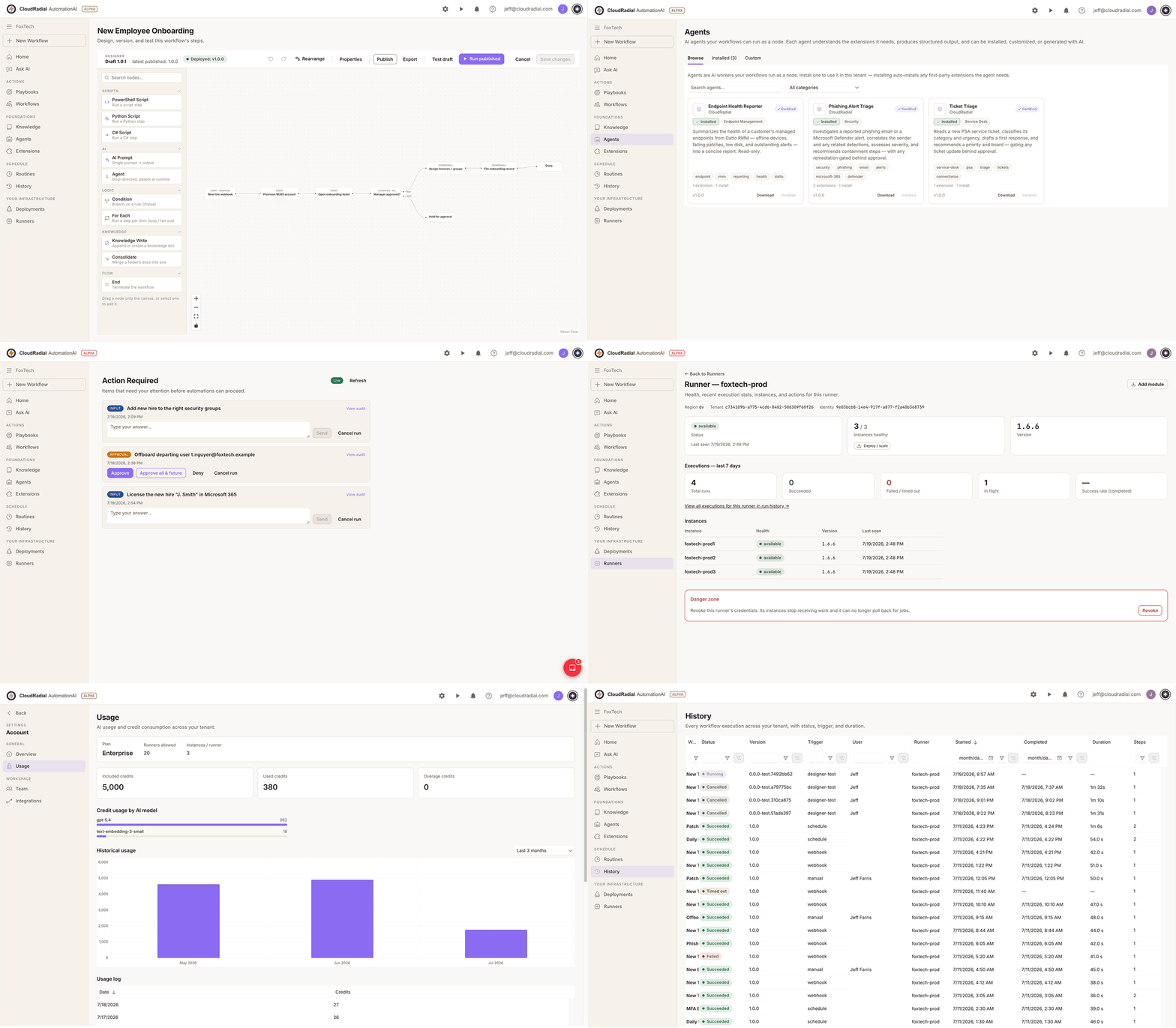
Build workflows from triggers, steps, and extension activities
A visual canvas for real automation work — not a toy flowchart. Snap together triggers, steps, and the tools your extensions provide. When a step needs code, a full in-browser code editor is one click away, with Copilot drafting the script for you.
-
Versioned publishing — publish a workflow version, bind it to a runner, and know exactly what's live.
-
Folders keep a growing library organized; YAML import/export keeps it portable.
-
Test end to end before trusting: "Trigger a run and watch it execute end to end."
AI AGENTS
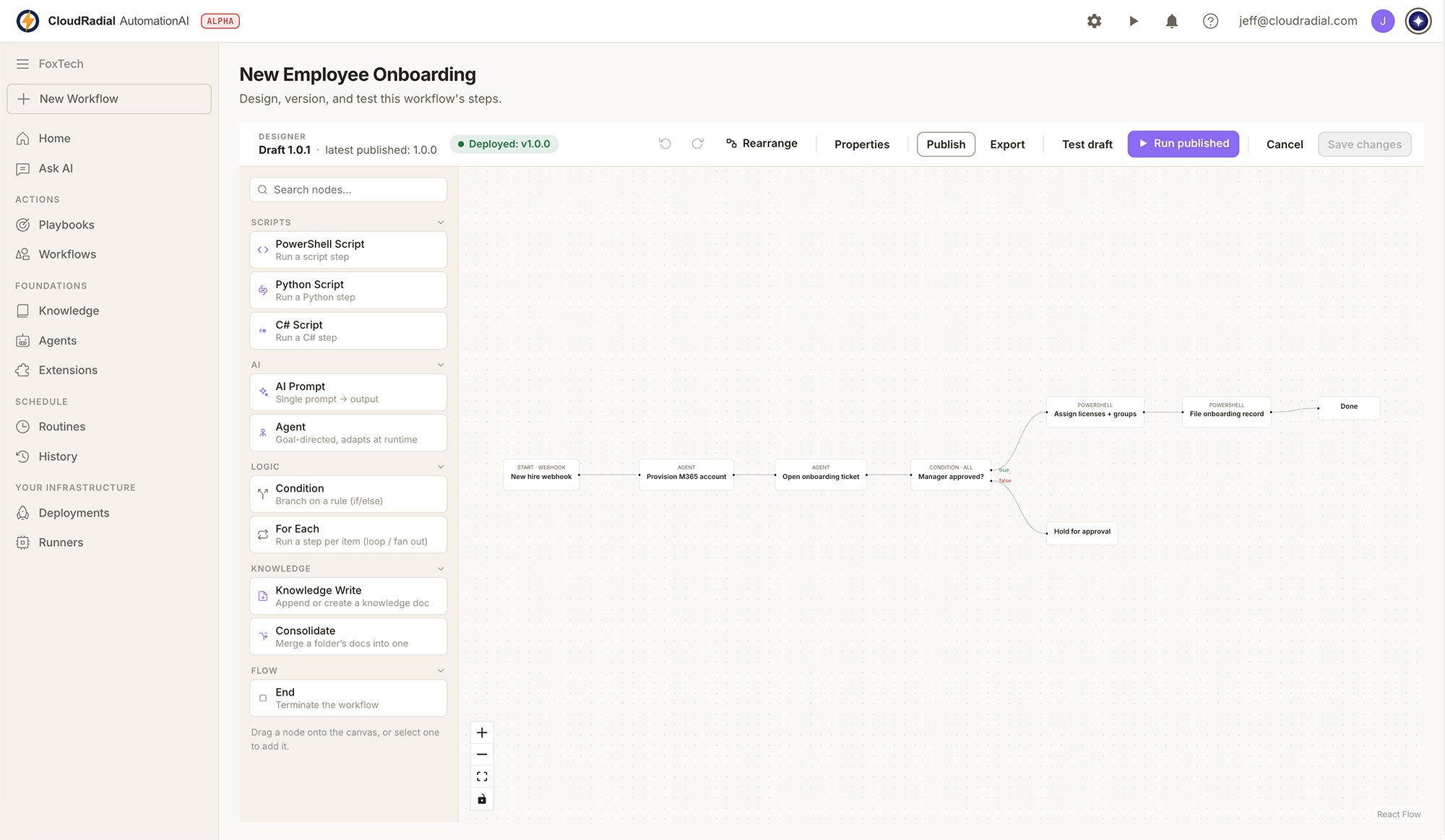
Agents are AI workers your workflows run as a node
This is the difference between automation that follows a script and automation that handles reality. Drop an agent into a workflow and it reads the messy input, makes the judgment call, and hands back structured output the next step can rely on.
-
Install proven agents from the catalog — required extensions install automatically.
-
Or generate your own: name the agent, paste links to relevant docs, describe what it should do — "AI works out the system prompt, the extensions it needs, and its variables, then saves a private agent for you to review."
- Deterministic where you want determinism. Intelligent where reality is messy.
EXTENSIONS
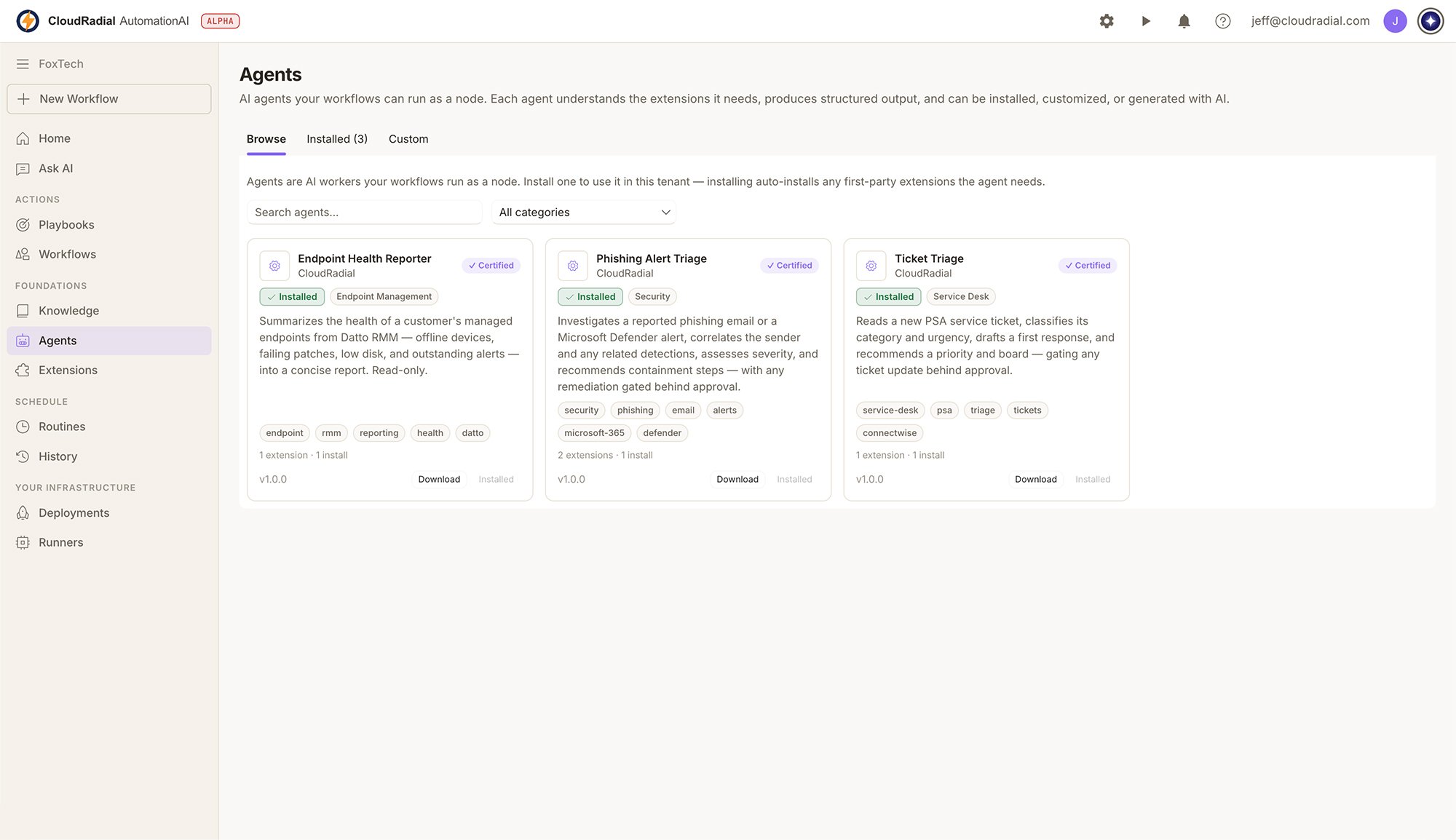
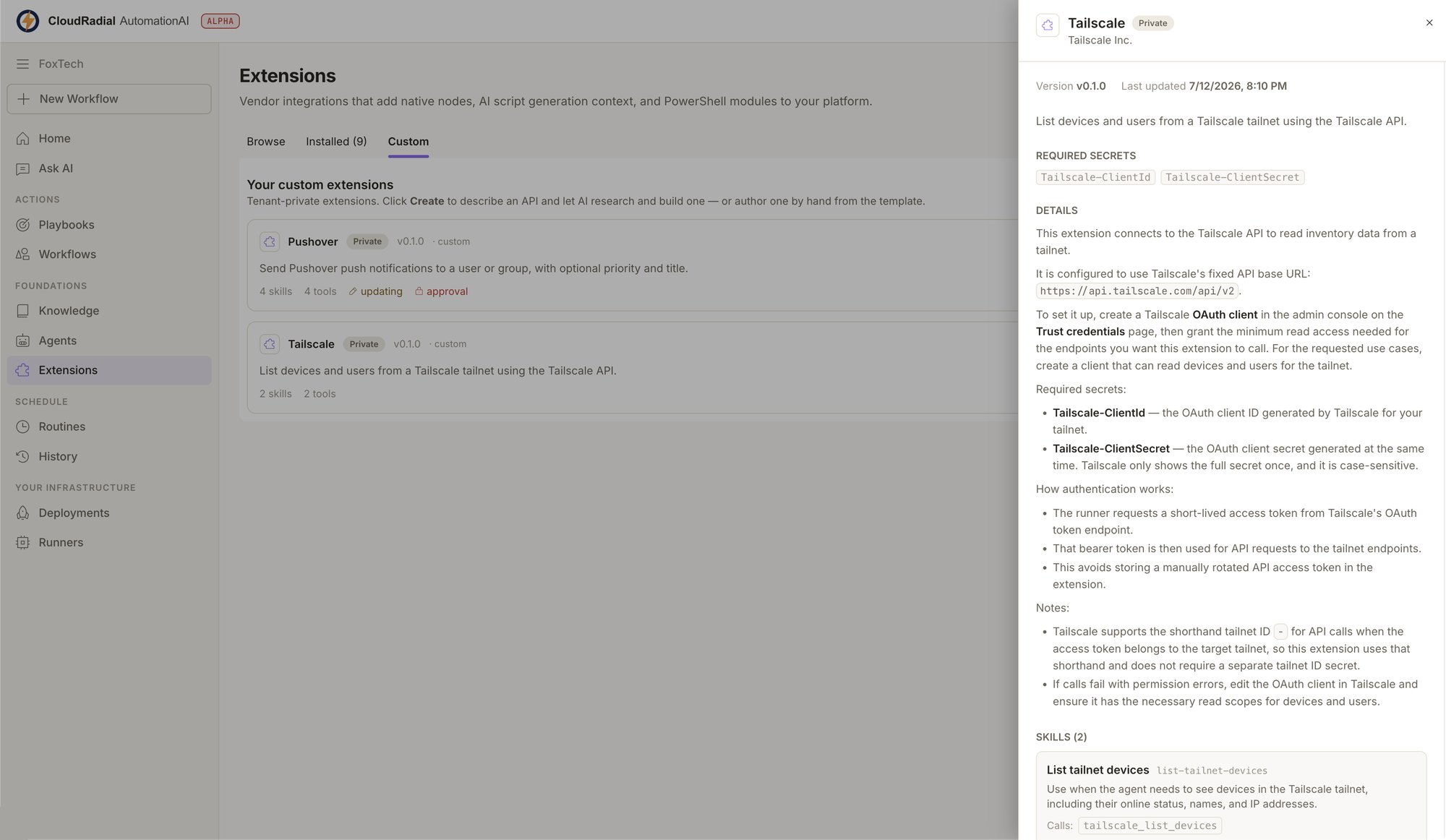
Describe a tool and let AI research and build the integration
Your stack has a long tail — the niche LOB app, the regional vendor portal, the legacy on-prem tool no catalog will ever cover. With AutomationAI, a missing integration is a prompt, not a project.
-
Browse and install from the extension catalog for the common systems.
-
For everything else: describe the tool or service, paste doc links, and AI researches and builds the extension — then you review it before it runs.
-
Extensions add nodes to the workflow canvas and context to AI script generation — every one you add makes the whole platform smarter about your stack.
INBOX & APPROVALS
Human-in-the-loop isn't a setting. It's the architecture.
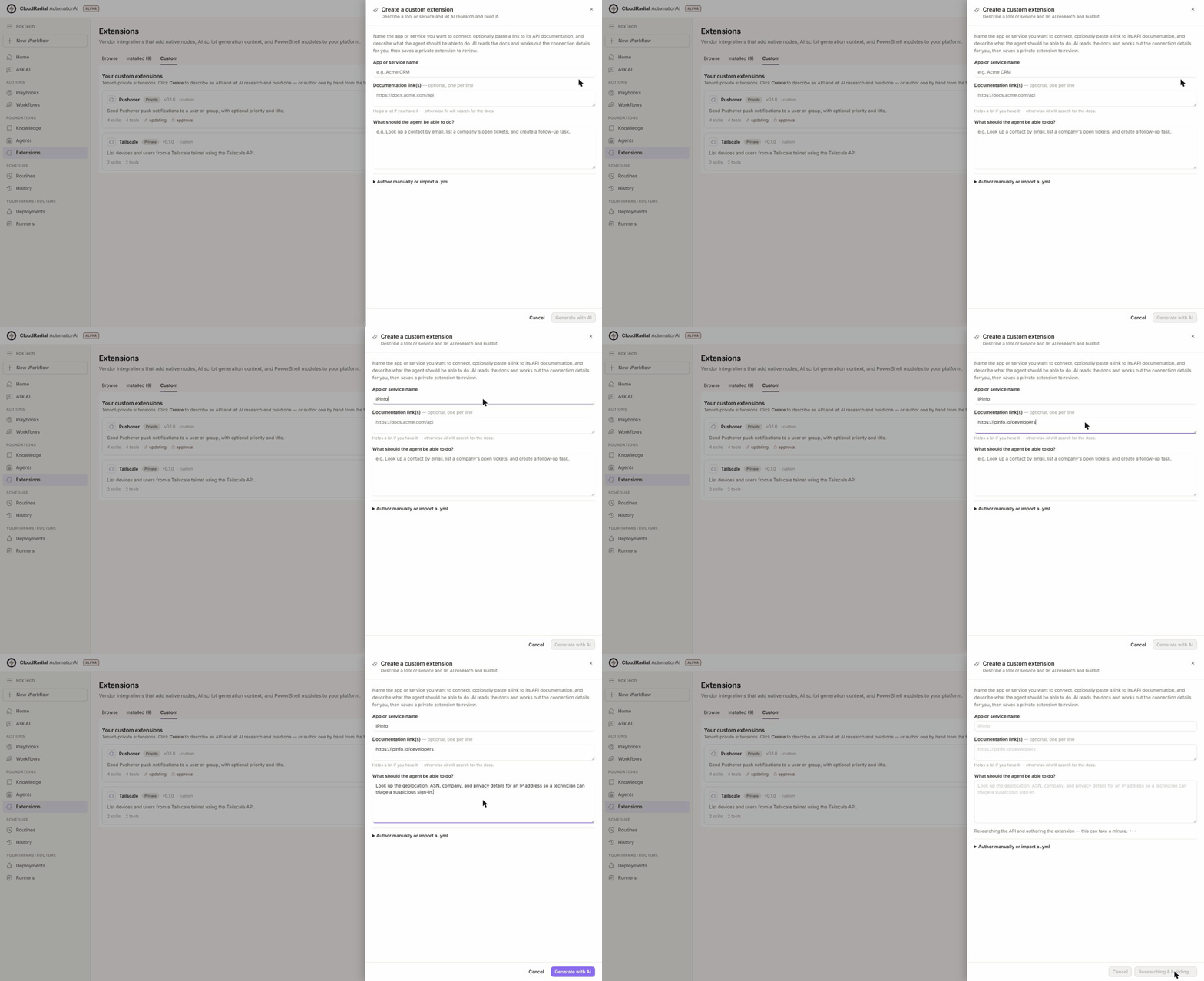
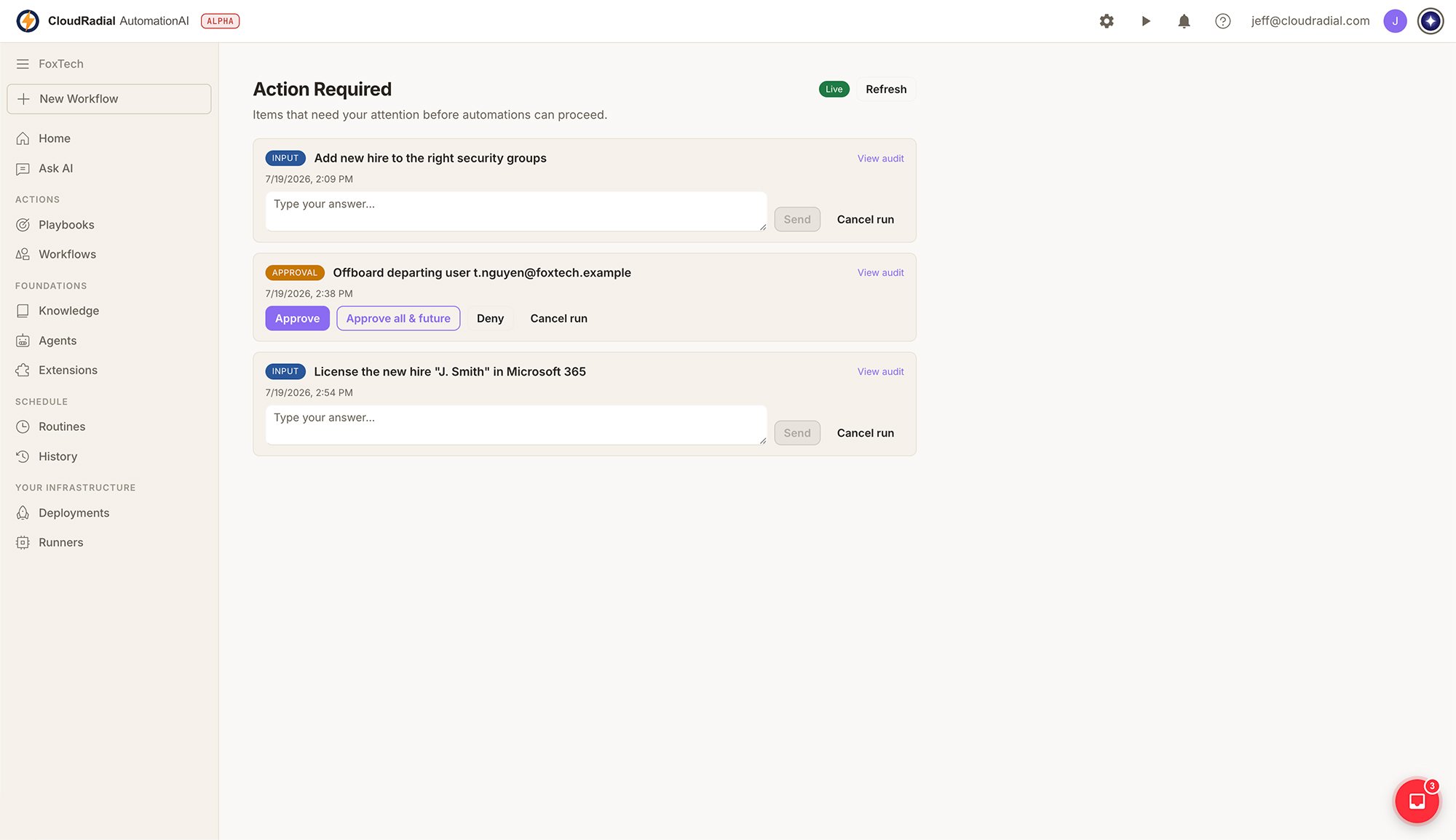
Autonomy you can't supervise is autonomy you can't trust with client systems. AutomationAI's agents know when they're unsure — they park the run and ask.
-
Questions land in your Inbox mid-run; answer in plain text and the run continues.
-
Per-step approvals: review each action individually, or approve one step and auto-approve the rest of that run.
-
Graduate trust at your pace. Supervise a new automation closely, then loosen the reins as it proves itself.
RUNNERS
Execution happens in your environment, not ours
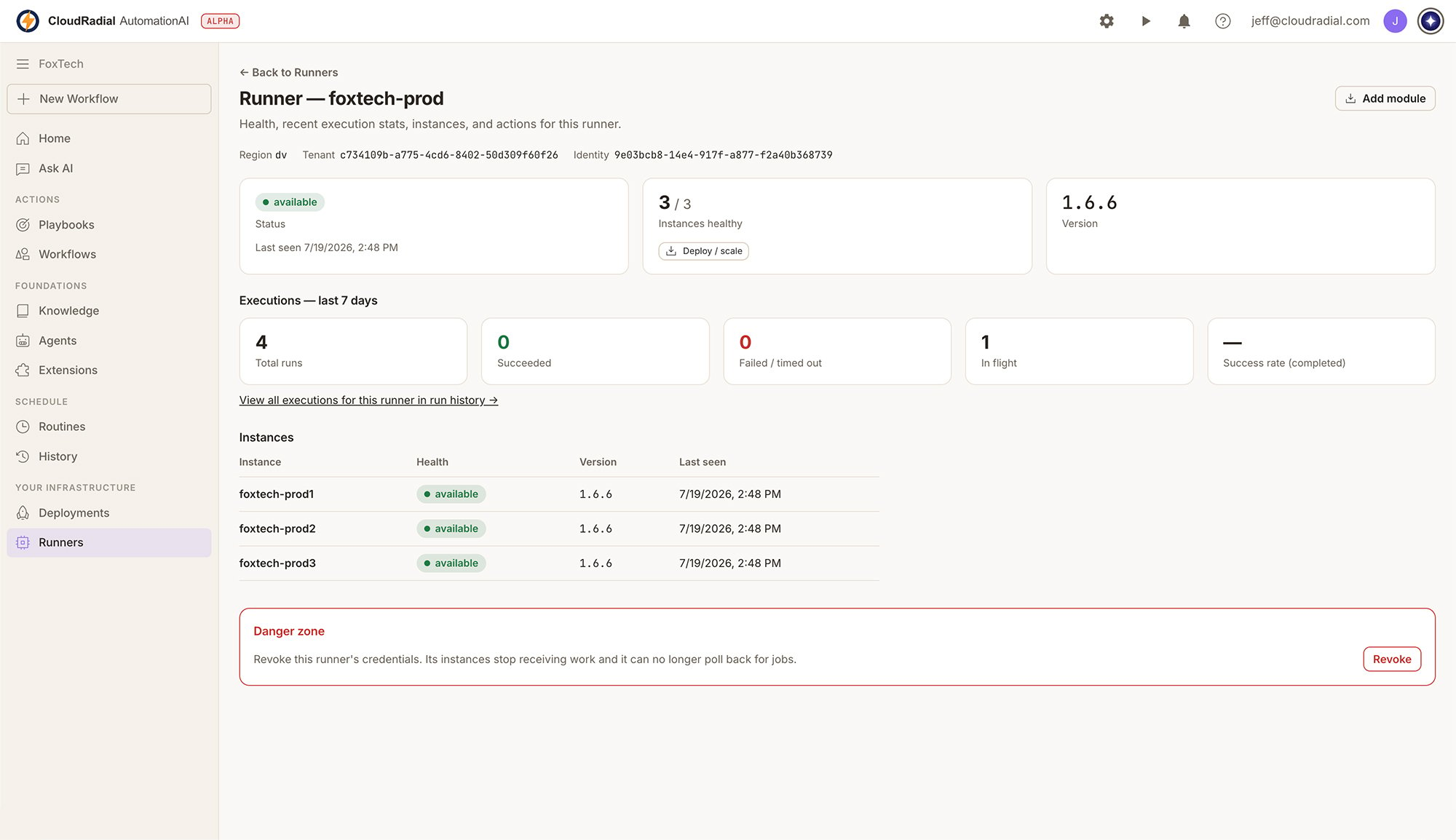
AutomationAI splits the plane properly: the SaaS control plane orchestrates, while lightweight Azure Function runners you install execute the actual work — from inside your network, with your credentials, under your control.
-
Reach on-prem systems, IP-restricted consoles, and everything a cloud-only bot can't touch.
-
Runner registration keys are hashed server-side — we keep only a hash, never the key.
-
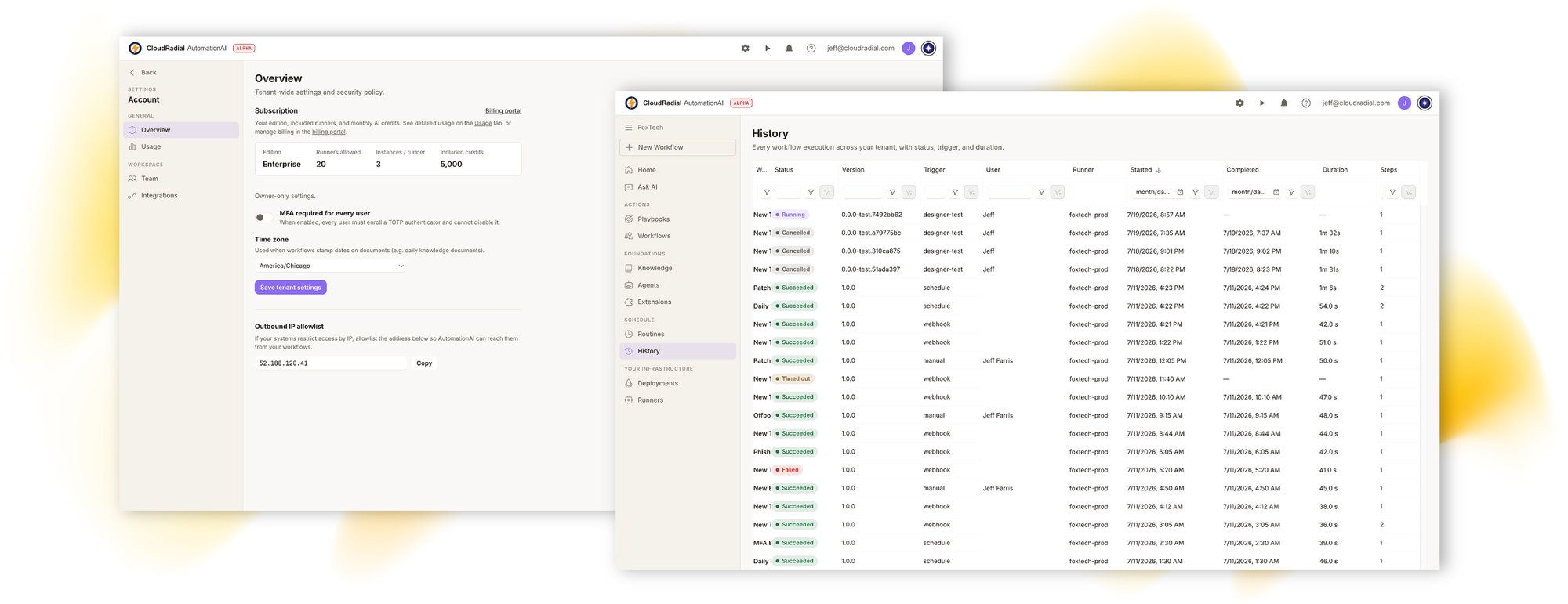
Health, staleness, and version tracking per runner; scale instances as your automation volume grows.
COPILOT, KNOWLEDGE & ROUTINES
Ask, remember, repeat
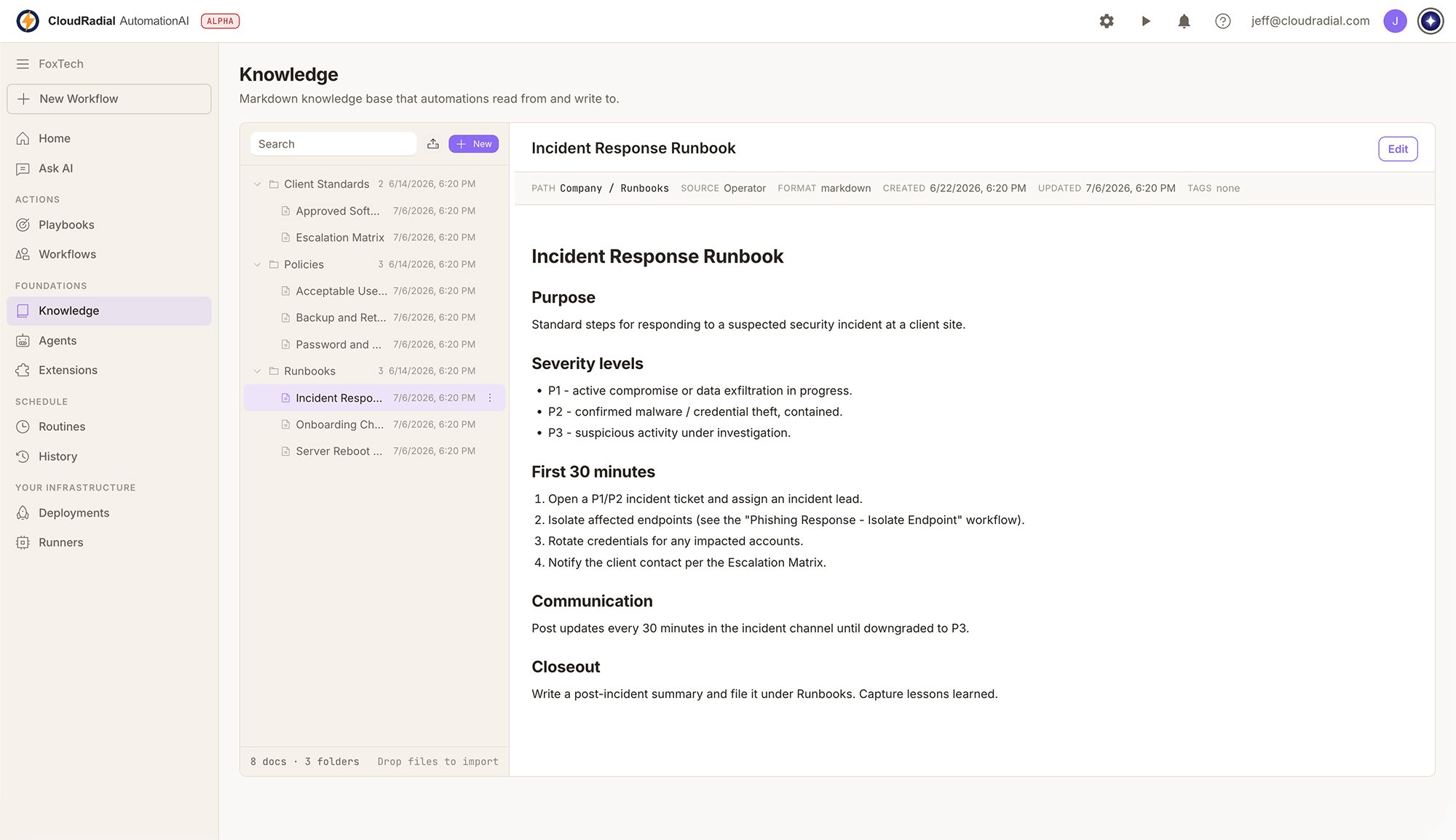
Copilot is the fastest way to see what automation can do. Ask the AI agent to draft a script or answer a question, right in the platform. Knowledge gives your agents a curated foundation: documents and folders your team controls, which workflows can append to automatically. Routines put it all on a schedule with cron-style timing described in plain English.
-
Copilot history keeps every draft and answer retrievable.
-
AI workflow nodes can write results back into Knowledge so your documentation stays alive.
- Playbook cycles track recurring operations, including skipped cycles with notes.
AI EVERYWHERE
Other platforms added an AI assistant. We built the platform out of AI.
AI isn't a chatbot bolted onto AutomationAI. It's how integrations get built, how agents get assembled, how scripts get drafted, and how runs handle the unexpected. And it's all metered, so you always know what it costs.
AI at build time
Generates extensions from a description and doc links. Assembles agents — system prompt, required extensions, variables — for your review. Drafts scripts in the Designer via Copilot.
AI at run time
Agents run as workflow nodes: they interpret messy input, make judgment calls, return structured output — and park the run to ask a human when they shouldn't decide alone.
AI under control
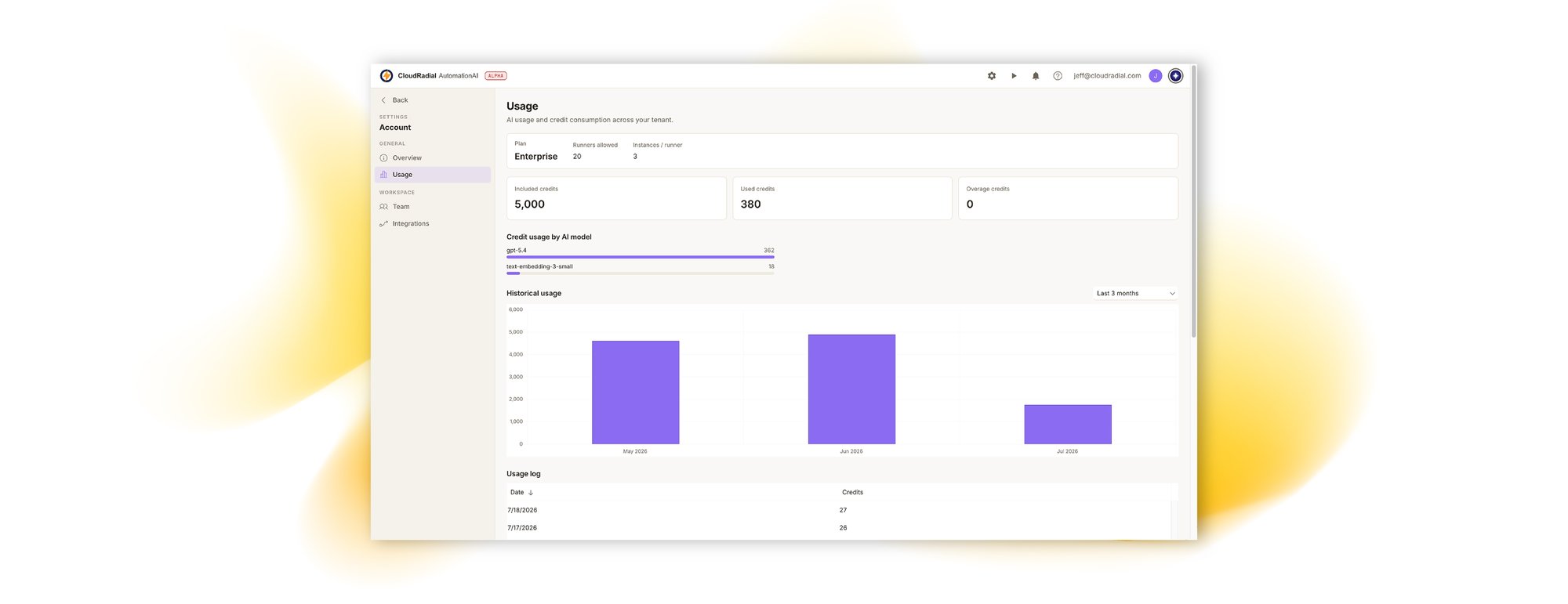
Monthly AI-credit allotment with a Usage view of consumption across your tenant, and clearly flagged overage. Budget automation like a service, not a science experiment.
SECURITY & GOVERNANCE
Built to the standard MSPs expect
AutomationAI automates client work, so it's held to the same bar: tenancy, identity, least exposure, and a complete record of everything that ran.
MULTI-TENANT BY DESIGN
Tenant-scoped organizations with Team management. Users who belong to multiple tenants switch cleanly between them.
ENTERPRISE SIGN-IN
SSO with Microsoft and Google, email sign-in codes, and TOTP MFA with recovery codes — enforceable tenant-wide: "MFA required for every user."
SECRETS STAY SECRET
Runner registration keys are hashed server-side — the control plane keeps only a hash. Webhook secrets on the ServiceAI side are Azure KeyVault-backed and masked in logs.
OUTBOUND IP ALLOWLIST
If your systems restrict access by IP, allowlist AutomationAI's outbound address so workflows reach them — deliberately, not promiscuously.
COMPLETE RUN HISTORY
Every workflow, agent, and playbook run is recorded end to end, with a real-time activity feed while it happens. "The AI did something" is never a mystery.
YOUR ENVIRONMENT, YOUR DATA PLANE
Execution happens on runners you install. Client credentials and client-facing actions originate from infrastructure you own.
WORKS WITH SERVICEAI
AutomationAI is the execution layer. Trigger it from anywhere.
AutomationAI can stand on its own. Build and run automations against any system with an API, triggered by webhook, schedule, or a form submission.
Connect any of them in minutes: generate an integration key in AutomationAI, paste it into the other product, and your published workflow webhooks appear as importable actions — with secrets vaulted, SSRF-guarded, and every invocation logged and retryable.
Adopt AutomationAI on its own, or connect it to ServiceAI when you're ready. Either way, the automation is yours.
AutomationAI is also the execution layer behind the rest of the CloudRadial platform: UCP, ServiceAI, and ChatAI can each fire a workflow.
ServiceAI
A ticket arrives, AI triage reasons about it against your natural-language rules, and fires the right workflow. The result lands back on the ticket.
Unified Client Portal
A form submission kicks off a workflow — like new-user onboarding — across every system that user needs access to.
ChatAI
A conversation triggers a cross-system action without a technician lifting a finger.
PRICING
Priced like a platform, metered like a utility
No per-technician tax on growing your team. No mystery invoice for AI usage.
Editions that scale with your automation practice
Every AutomationAI edition includes the full platform — Designer, agents, extensions, playbooks, knowledge, and security — with included runners and a monthly AI-credit allotment sized to the edition.
Included self-hosted runners, with instance scaling per runner
Monthly AI credits included; overage metered and visible in Usage
Full platform in every edition — no feature-gated "AI add-on"
Managed alongside your CloudRadial subscription
Get edition details and a quote tailored to your runner and AI-credit needs
AutomationAI FAQ
-
How is this different from Rewst, Pia, Hermes Agent, OpenClaw, or a DIY agent?
Workflow platforms like Rewst put AI at build time but execute deterministic workflows a specialist must build and maintain.
Packaged tools like Pia automate a fixed catalog of mostly identity tasks inside their runtime.
DIY agents are single-user projects with no tenancy or audit trail. AutomationAI is AI-native at build time and run time, open-ended in what it can integrate, governed by approvals and run history, and executed in your own environment. See our detailed comparison pages for the specifics.
-
Does AutomationAI require ServiceAI or another CloudRadial product?
No, AutomationAI can be purchased as a standalone product. You can build and run workflows against any system with an API using nothing but a webhook, a schedule, or a direct trigger.
If you also run ServiceAI, UCP, or ChatAI, each can fire an AutomationAI workflow as an action: generate an integration key in AutomationAI, paste it into the other product, and your published workflow webhooks import as actions.
Secrets are KeyVault-backed and masked; every invocation is logged and retryable. But none of that is required to get value from AutomationAI on day one.
-
Do I need a dedicated automation engineer?
No — that's the point. Describe the tool and AI builds the extension; describe the job and AI assembles the agent; Copilot drafts the scripts. Everything AI produces is saved for your review before it runs. There's no proprietary templating language to learn and no certification track standing between you and your first automation. Techs who want to build by hand get a full visual Designer and a real code editor.
-
Where do my automations actually run?
On Azure Function runners you install in your own environment. The AutomationAI control plane orchestrates — versioning, scheduling, approvals, history — but execution and credentials stay on your side. That's how workflows reach on-prem tools and IP-restricted systems, and it's why registration keys are hashed server-side: we keep only a hash.
-
What keeps an AI agent from doing something it shouldn't?
Structure and supervision. Agents run as nodes inside workflows you defined, only touch the extensions they're given, and return structured output. When a run needs judgment a human should make, the agent parks it and asks via your Inbox. Per-step approvals let you review every action of a new automation, then graduate to auto-approval as it earns trust. Every run is recorded end to end.
-
What happens to my automations if I leave?
They're yours. Workflows, agents, extensions, and playbooks all export as human-readable YAML. Your automation estate is portable operational IP.