






| CloudRadial UCP Starter | Autotask Client Portal | |
|---|---|---|
| Functionalities | ||
| Ticketing Forms | ||
| CSAT | ||
| User Applications | ||
| Training | ||
| Documentation | ||
| Assets | ||
| Integrations | ||
| Reporting | ||
| Finance | ||
| Projects | ||
| User Sync | ||
| Branding | ||
| Accessibility | ||
Offer your customers a user portal that they’ll actually want to use
CloudRadial Unified Client Portal Starter replaces your Autotask end user experience while still staying tightly integrated into your Autotask PSA.
CloudRadial Unified Client Portal Starter completely revolutionizes the way your clients understand your value to their business. With a beautiful UI, powerful automation, and fantastic IT reporting visibility, you’ll never go back.
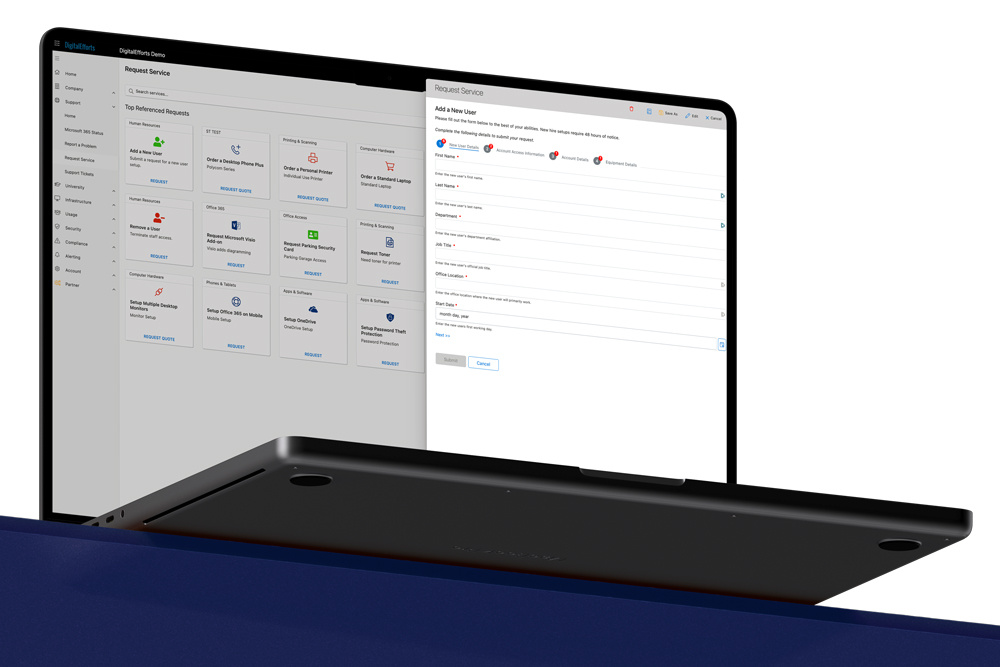
Autotask client portal vs CloudRadial Unified Client Portal Starter
Unified Client Portal Starter gives MSPs and their clients a premium end-user experience.
Treat yourself and your clients to an upgrade from the Autotask client portal
Land new business
by wowing new prospects with your modern portal that puts client communication first.
Handle more clients
by streamlining client communication with automation for reporting and ticketing triage.
Save on rising labor costs
by putting the portal to work to triage and even outright resolve tickets with self-service options.
Prove your value 24/7
by showing dashboards, 3rd-party report archives, 50+ integrations and more in a one-stop portal.
Frequently Asked Questions
-
Why should I pay for UCP Starter instead of using the one that I get for free?
CloudRadial Unified Client Portal Starter is an all-out better experience that makes your MSP look better, encourages more adoption with more collaborative features, and even saves time and labor with built-in automation. It’s more customizable and more flexible, which means you can do a lot more with it and get a lot more out of it.
Plus, you can always grow into CloudRadial CSA's Professional version later and unlock more features – like self-service automations, the QBR planner, assessments, alignment policies, and more – all without having to lose your data and start over in other software. -
How long does it take to get this portal up and running?
The beauty of UCP Starter is that it’s chock-full of MSP-approved content, meaning you don’t have to create a single thing. You can pick it up, connect your data, and run with the stock content within just a few hours.
You can also customize it heavily, if you need to. Our proven self-paced, self-service onboarding and training means that those that want to get up and running fast can do it successfully as fast as they need to. -
What does the price on UCP Starter look like, and what if I change my mind?
UCP Starter is a flat-rate $145 a month for 500 users with a one-year contract. As added peace of mind, you also have 30 days from purchase to get your money back if you’re not satisfied with it. At any time, you can upgrade to the full CloudRadial CSA Professional version if you decide you need more users and more features.
To learn more about pricing and to see features, see this page.
Join the 1000+ MSPs that upgraded their client portal
Backed by our 30-day money back guarantee